DTM viewer · 2D and 3D measurements · Compare surveys · Waypoints · DXF / DWG · GeoTIFF · Web maps
The DTM viewer that opens the processing export as it is.
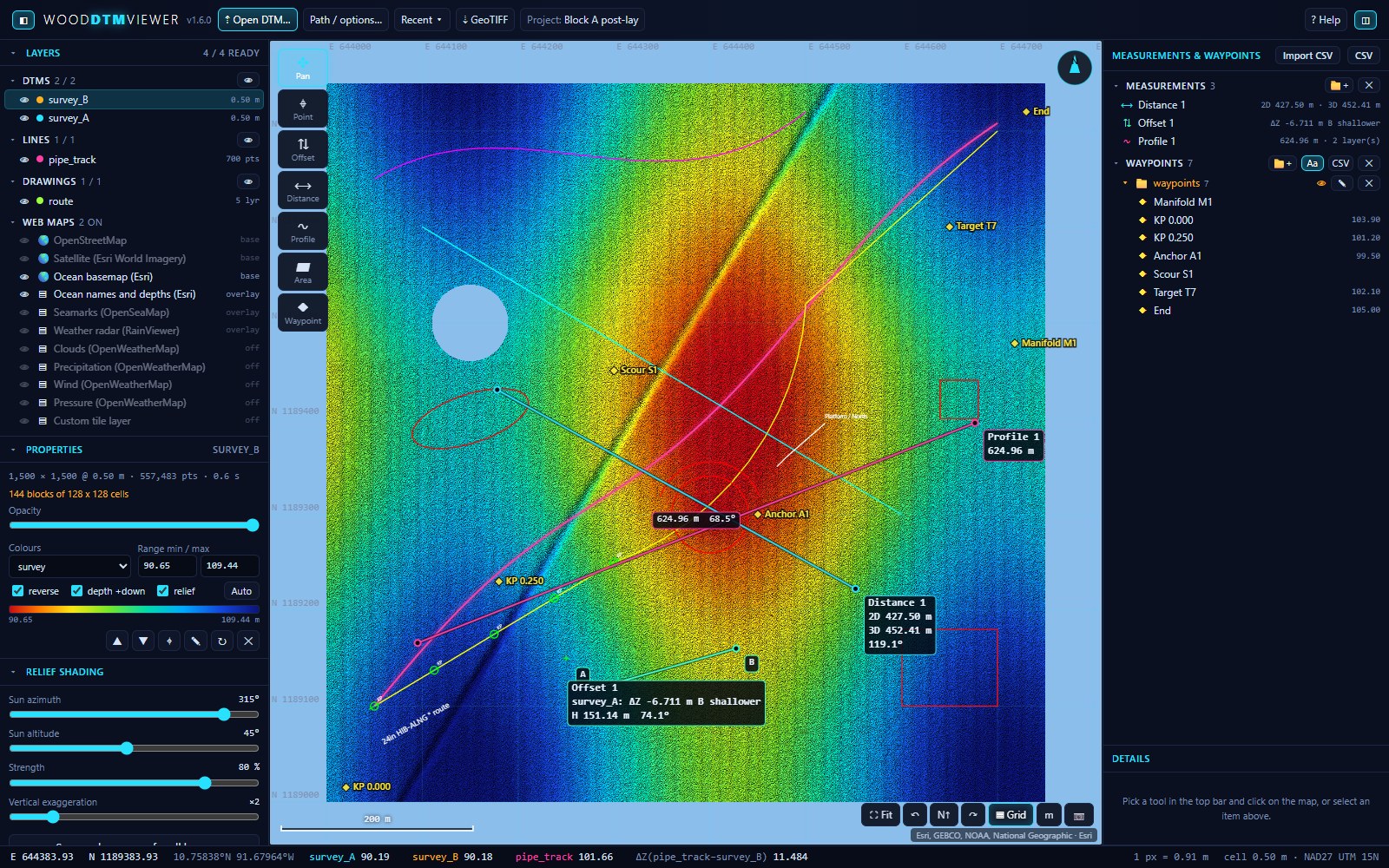
WoodDTMViewer loads the large gridded DTM .xyz files straight from processing - a 13 km pipeline corridor at 0.2 m, 13 million points, in about 12 seconds - and puts several surveys together in one window with their own colours and relief. Measure points, vertical offsets, distances and profiles in 2D and along the surface in 3D, compare two surveys cell for cell, drop waypoints or import them from CSV, lay the pipe routes and the DXF / DWG drawings on top, pull in a satellite or ocean basemap and the weather, and export a positioned GeoTIFF for the nav software's graphics screen. The rest of the survey office looks over the network, view only.
Built by a working offshore survey party chief for post-lay and as-built DTM QC. Licensed per PC at $400 a year or $50 a month, every feature free for three days, keys issued by email; no internet needed to run.
What it does
From the processing export to the measurement, with nothing in between.
No import step, no resampling, no project file to build first: open the .xyz files and they draw cell for cell. Everything on screen is autosaved and comes back when the viewer restarts; save it under a project name to switch between jobs.
Large DTMs, as exported
Space, tab, comma or semicolon separated point files, with or without a header, and ESRI ASCII grids. Regular grids are detected from the spacing and kept at their cell size; scattered soundings are binned at a size you choose. A block-sparse grid holds only the cells with data, so a long diagonal corridor costs what it contains, not its bounding box.
Pan, zoom, rotate, relief
Smooth tiled drawing with relief shading (sun direction, strength, exaggeration), seven colour ramps, per-layer range, opacity and depth-down handling. Rotate the view to run a pipeline left to right; the view lives in the page address, so a reload comes back to the same spot.
2D and 3D measurements
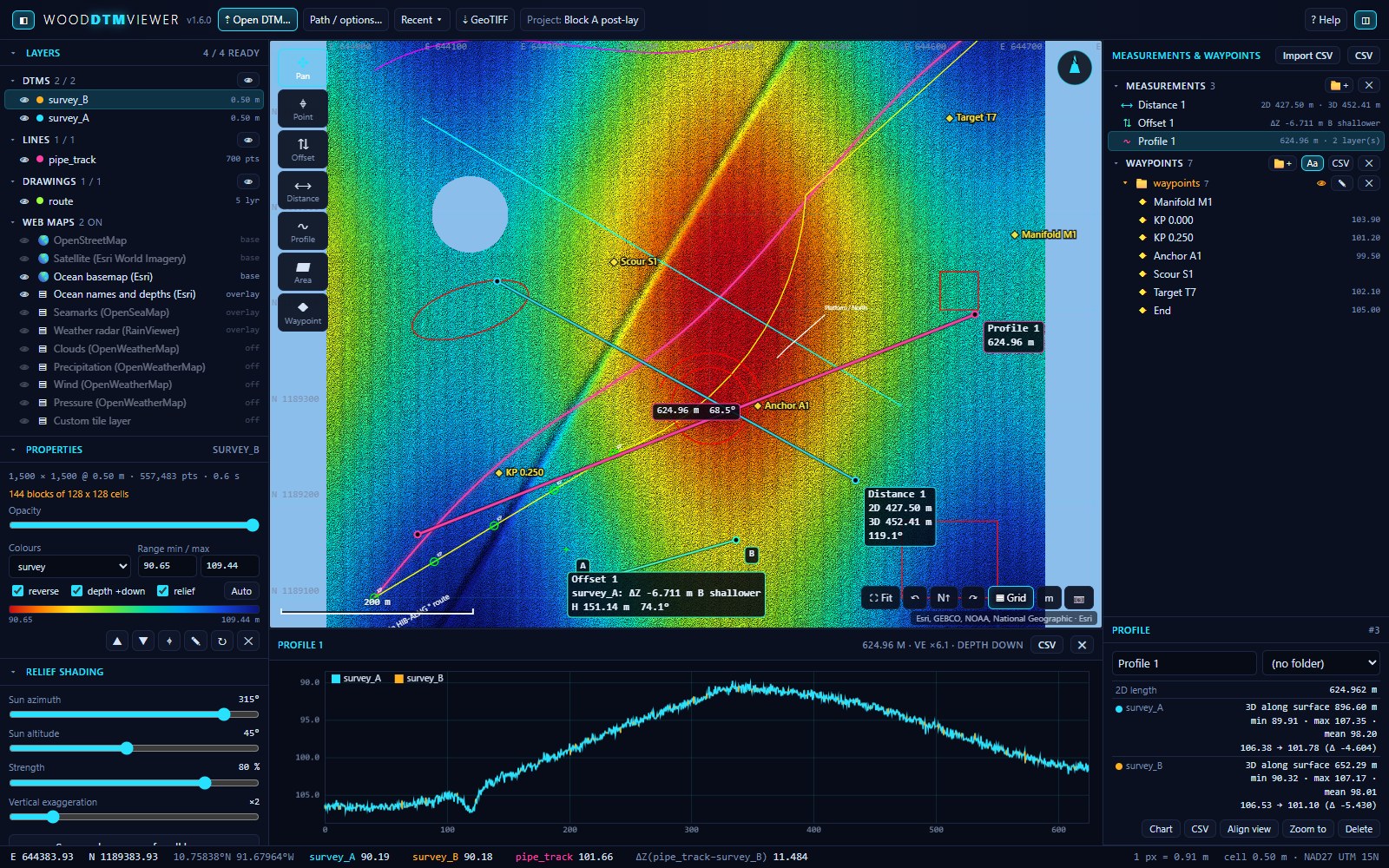
Point reads E, N and Z on every layer with data there. Offset gives the vertical difference between two points with slope and the 3D distance. Distance and profile report the flat length and the length along each DTM surface, with a cross-section chart under the map. Area gives Z statistics and the cut-and-fill volume between surveys inside a polygon.
Compare surveys
Several DTMs in one window with the same colour range at a click, and a difference layer (A minus B) computed cell for cell on A's grid, with a diverging ramp that says which way the seabed moved.
Waypoints, names, folders
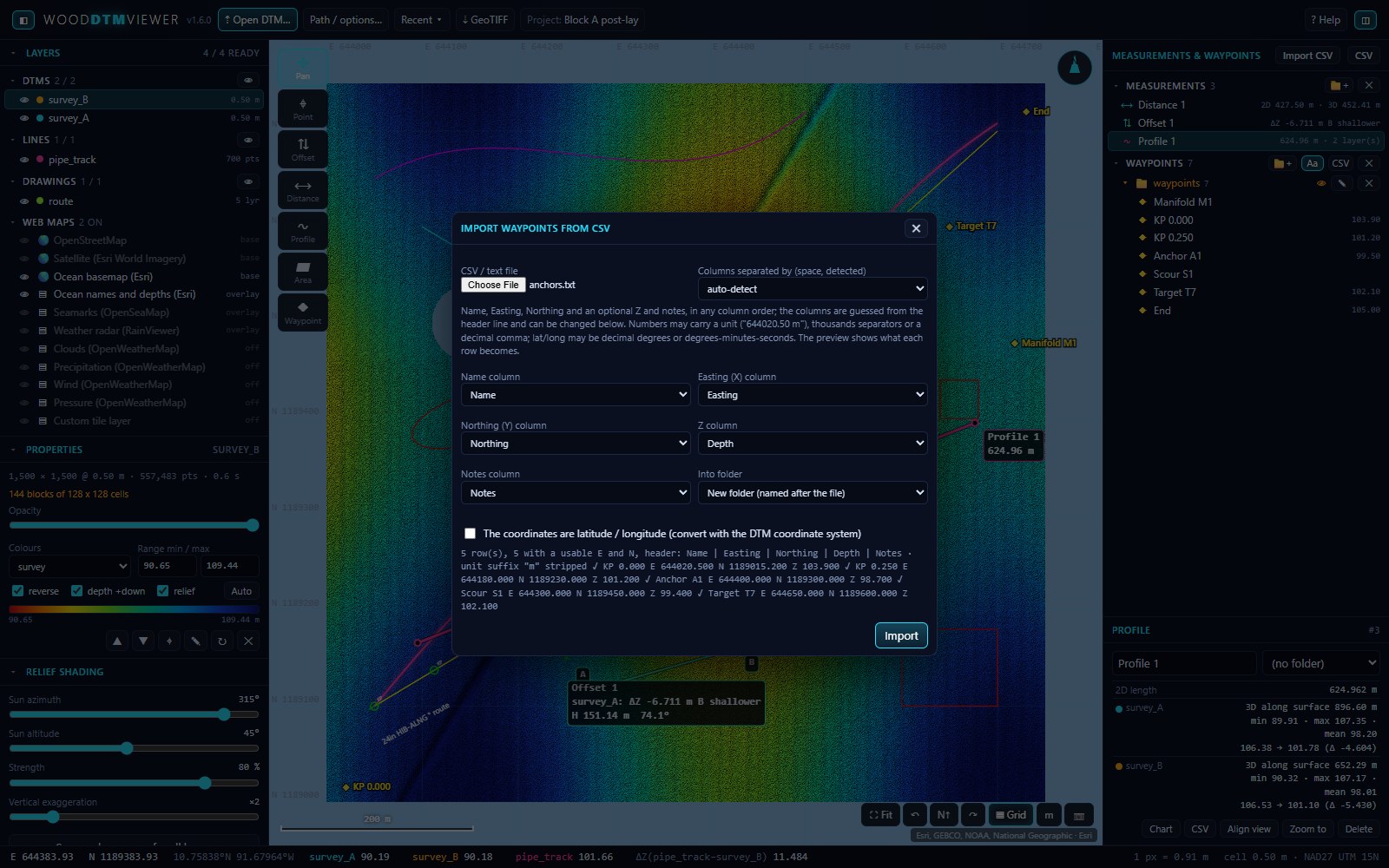
Drop waypoints with the tool or import them from a CSV - comma, semicolon, tab or space separated, units like 644020.50 m understood, lat/long converted. Every point, measurement and waypoint has an editable name and a folder; names go into the CSV export.
Routes and drawings on top
Pipe route .xyz files draw as lines; .dxf drawings open directly and .dwg through the free ODA converter, in their own layer colours with each drawing layer switchable.
GeoTIFF for the nav software
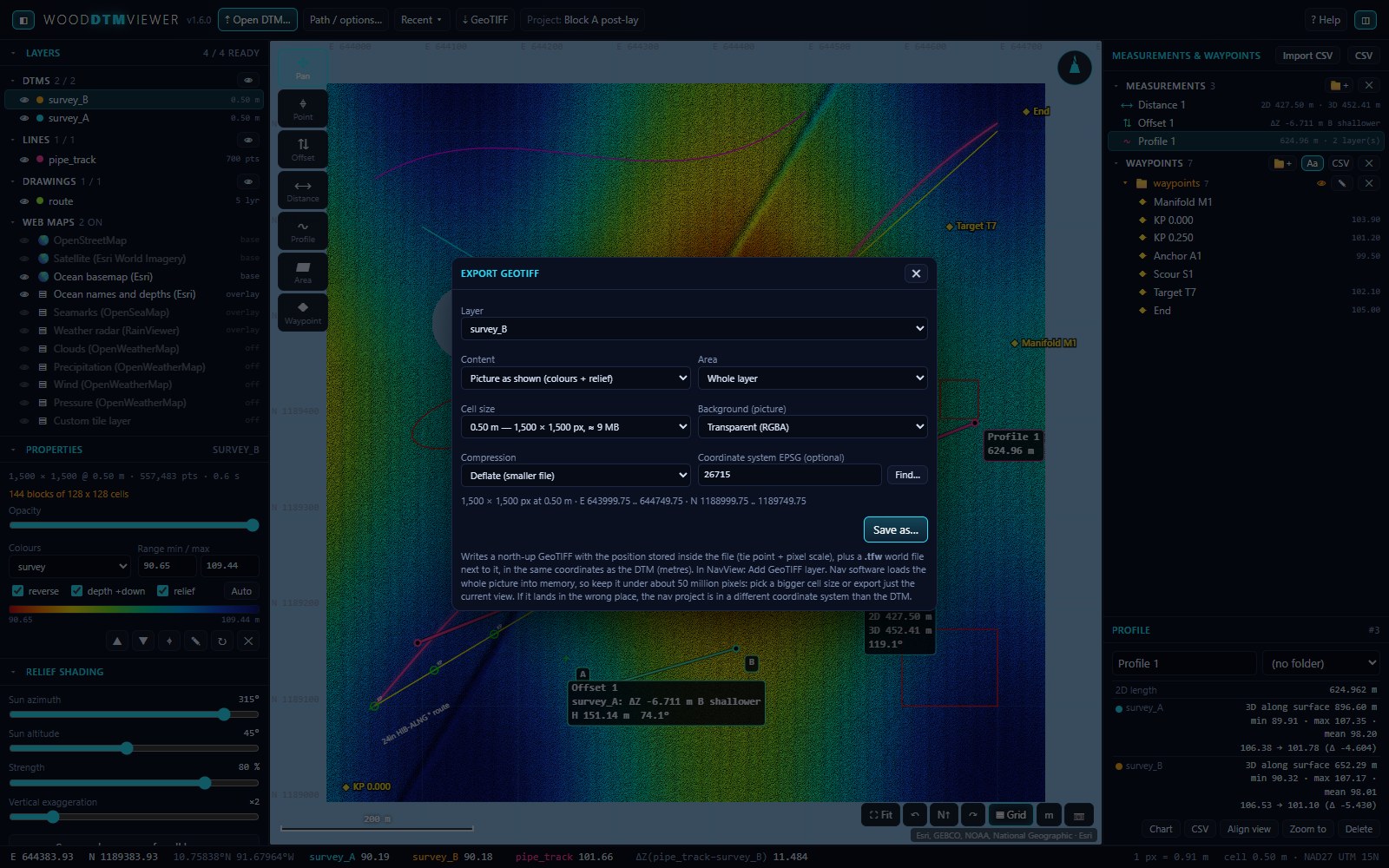
Export the picture as shown or the raw Z values as a north-up GeoTIFF with the position inside the file plus a world file, built against 4D Nav NavView's GeoTIFF layer. Whole layer or current view, cell size with the pixel count shown, so the nav PC is never asked to load more than it can.
Web maps, weather, zones
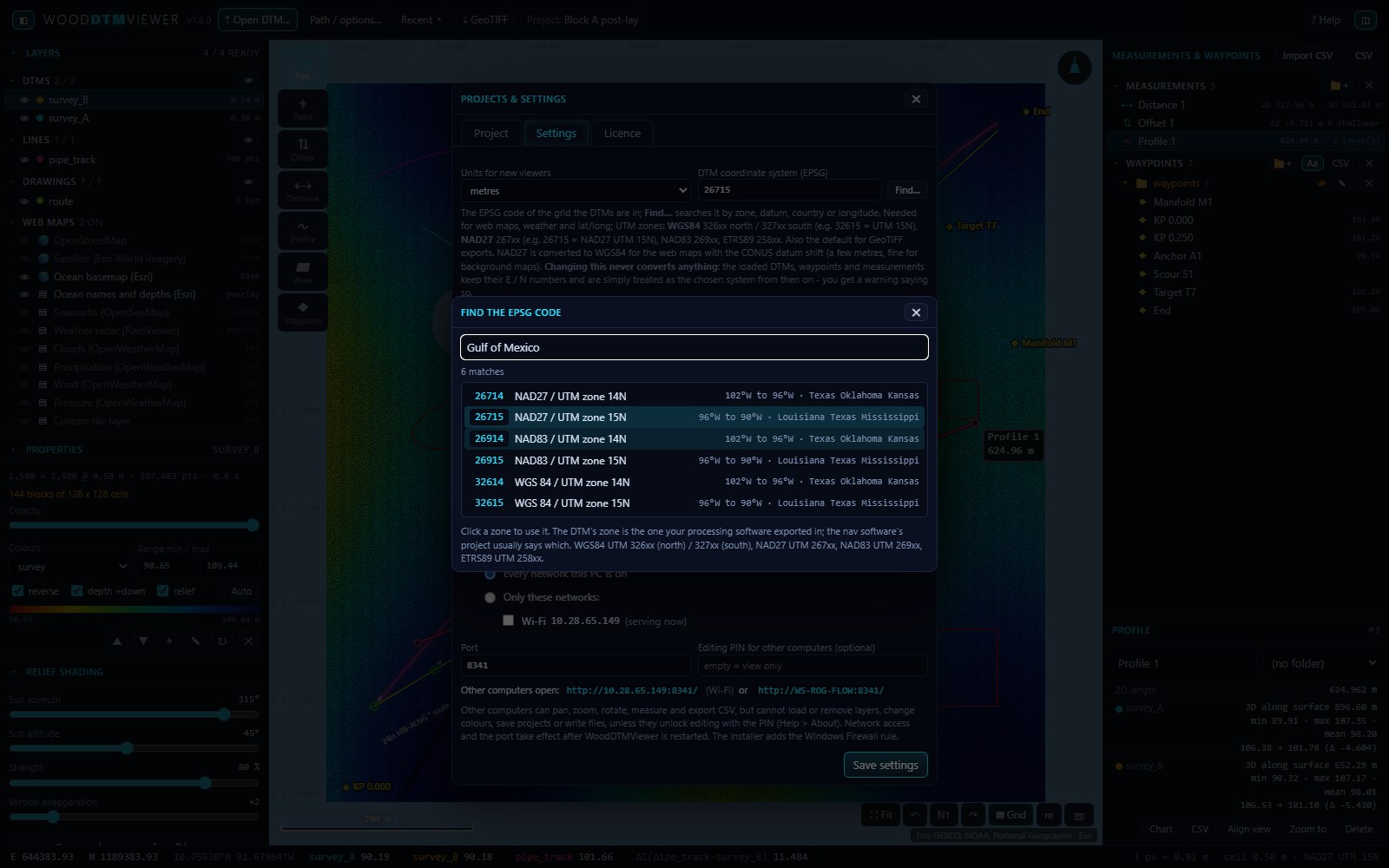
OpenStreetMap, satellite, ocean basemap, seamarks, weather radar and OpenWeatherMap layers placed on the DTM's UTM grid, fetched by the server PC and cached for the viewers; wind, pressure, waves and swell for the centre of the view. WGS84 and NAD27 UTM zones with a finder by zone, country or longitude; changing the zone converts nothing, and says so.
Server for the office
Serve any network the PC is on. Other computers open the viewer in a browser, view only: they pan, zoom, measure and export CSV but cannot change the layers; a PIN unlocks editing for a trusted PC. Projects and the autosaved working set live on the server PC and survive upgrades.
Pricing
Two prices. No quote round.
One licence runs one PC with every feature: the DTMs, the measurements, the GeoTIFF export, the network server for the office and the web maps. The computers that only look over the network need no licence of their own. Prices are in US dollars and include support and every update released during the term.
| Term | Per licence | Notes |
|---|---|---|
| 1 month | $50 | One job, one month at a time. Renew while the job runs, stop when it stops. |
| 1 year | $400 | Less than $34 a month, and nothing to renew mid-campaign. Most chosen. |
Trial to licence
The three free days start the first time WoodDTMViewer runs and are not reset by reinstalling. Buy either term at any point; nothing on screen is ever lost - an unlicensed viewer keeps showing what it has, it only stops loading new files.
Payment terms
Invoice by email, paid by wire transfer; net 30 terms for approved vendors. A monthly licence can be invoiced for the months you need up front. GBP and EUR quotes on request.
Several PCs
Each processing or QC seat needs its own licence; the office PCs that only view over the network do not. Five or more licences on one order, or a campaign that needs a different term: ask, the terms come with the quote.
How a licence is issued
Install and run
Download, install, open your DTMs. Every feature works for three days, the network server and the web maps included.
Send your PC id
Project › Licence shows the PC id. Email it with the term you want and the licensee name; the key can also be issued for any PC.
Invoice
An invoice comes back by email. Wire transfer, net 30 for approved vendors; vendor setup paperwork on request.
Load the key
A key file arrives by email as soon as the order is confirmed. Paste it or load it under Project › Licence. Done, offshore with no internet included.
Download
WoodDTMViewer 1.6.0 for Windows.
Licensed per PC: $400 a year or $50 a month, three free days, keys issued by email. Every file is attached to a GitHub release, so the download is fast from any port and the release history is public.
Contact
Questions, quotes and licences.
Every enquiry goes straight to Woody Straley, the survey party chief behind WoodSolutions. Replies usually within a day, including from offshore.