Survey progress · Live data · Events · Bathy · Processing · Reports
The progress tracker that replaces the survey workbook.
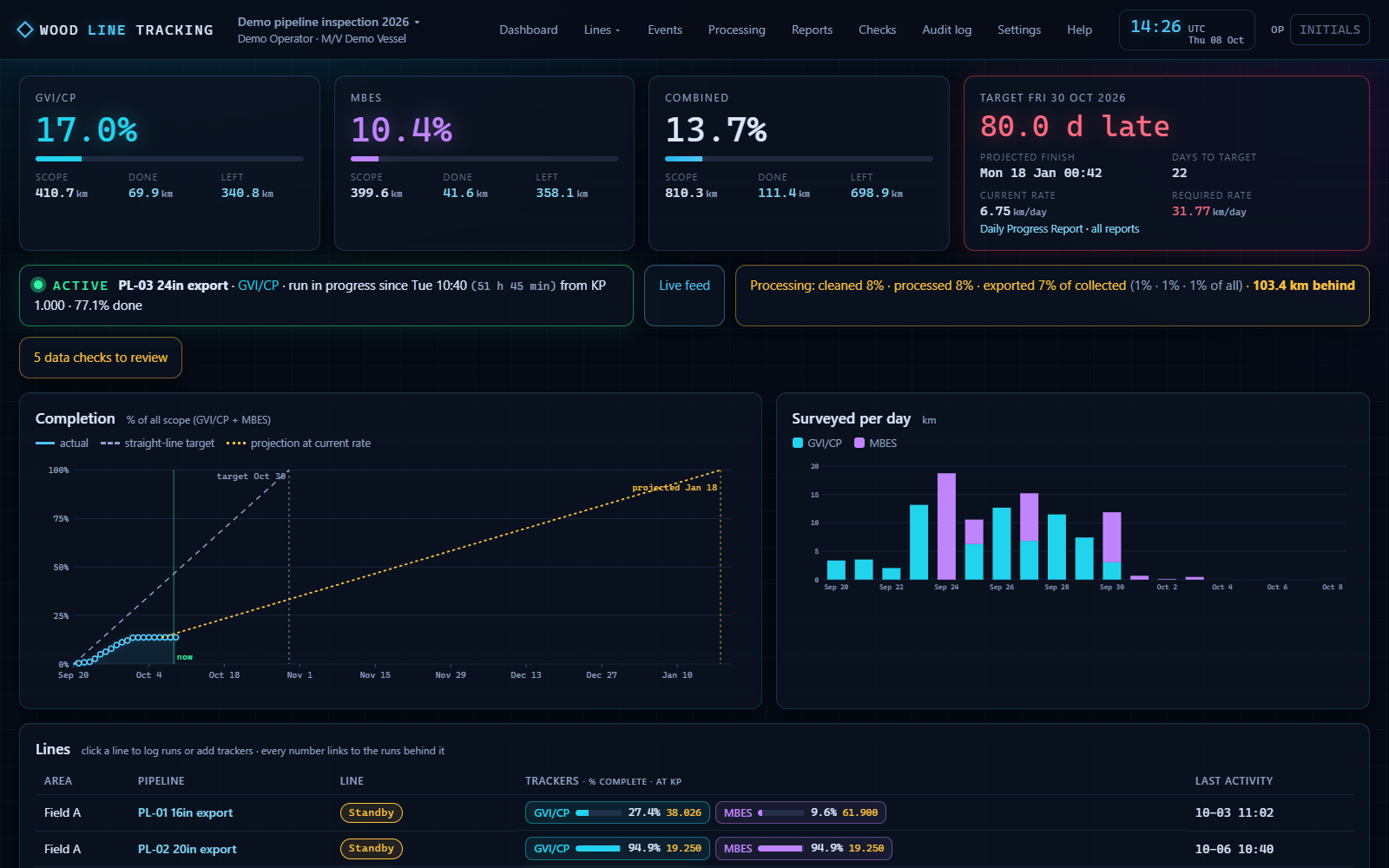
WoodLineTracking tracks ROV pipeline inspection line by line — GVI/CP, MBES, MAG or any survey you add — with runs logged from the live data string, coverage and gaps computed from the raw log, an event pad, a bathy profile, a processing page for the office and the Daily Progress Report and Line Status Sheet printed from the same numbers. Several vehicles at once, a view-only port for the client rep, and an audit trail of every edit.
Built for a real campaign and in daily use on it. Installs on the survey PC; everyone else opens it in a browser.
What it does
From the data string to the daily report, one path.
Set up the job once — survey types, lines, KP scopes — then press START on a line page: the live string logs to that survey, the totals tick as the vehicle moves, and the report at the end of the shift is already right.
Lines, surveys, trackers
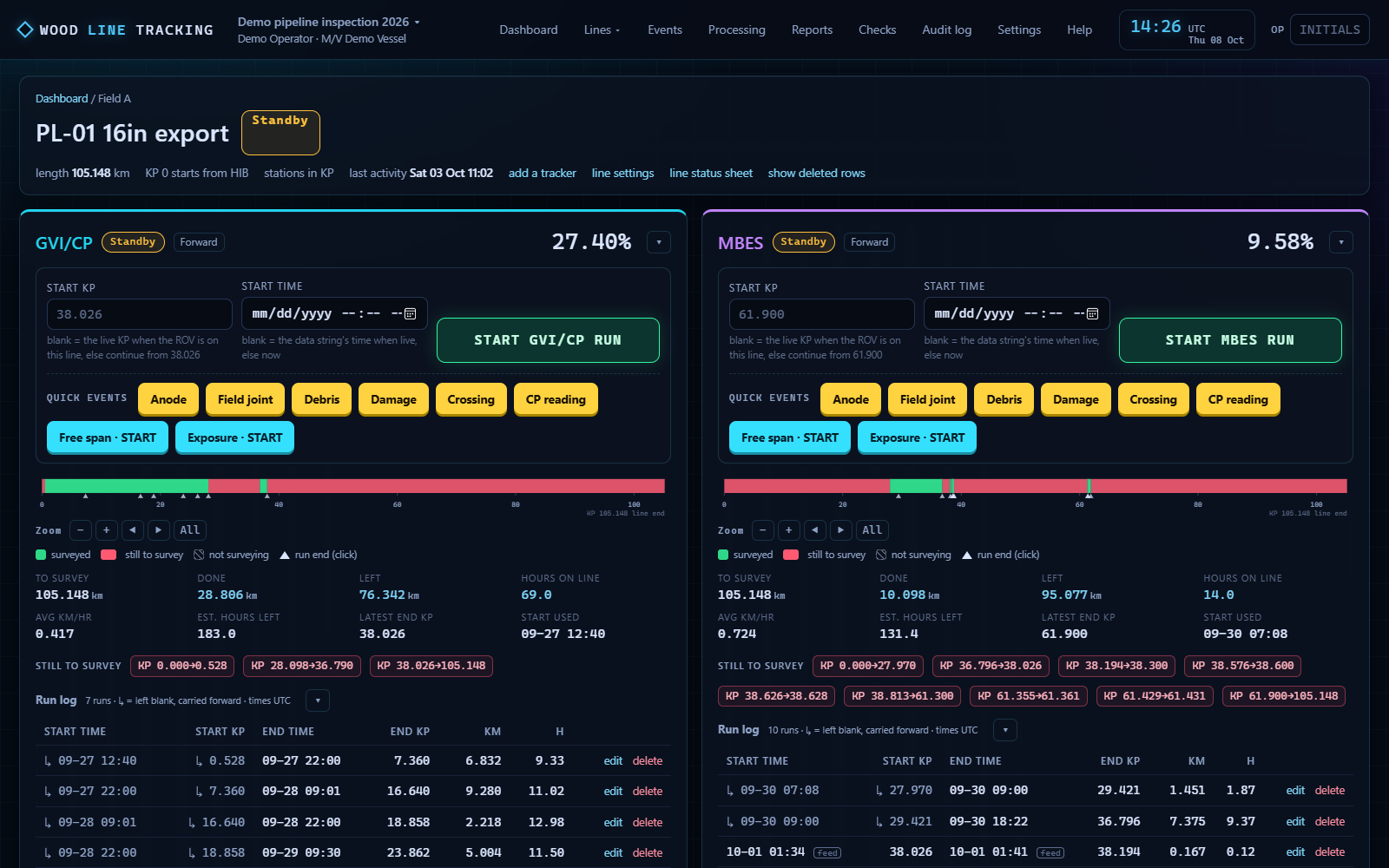
Each line carries any number of surveys (GVI/CP, MBES, MAG, side-scan…) over its own KP scope, with START / STOP, a run log, not-surveying zones and direction. Totals, gaps and percentages per survey, per area and for the job.
Live data, up to three strings
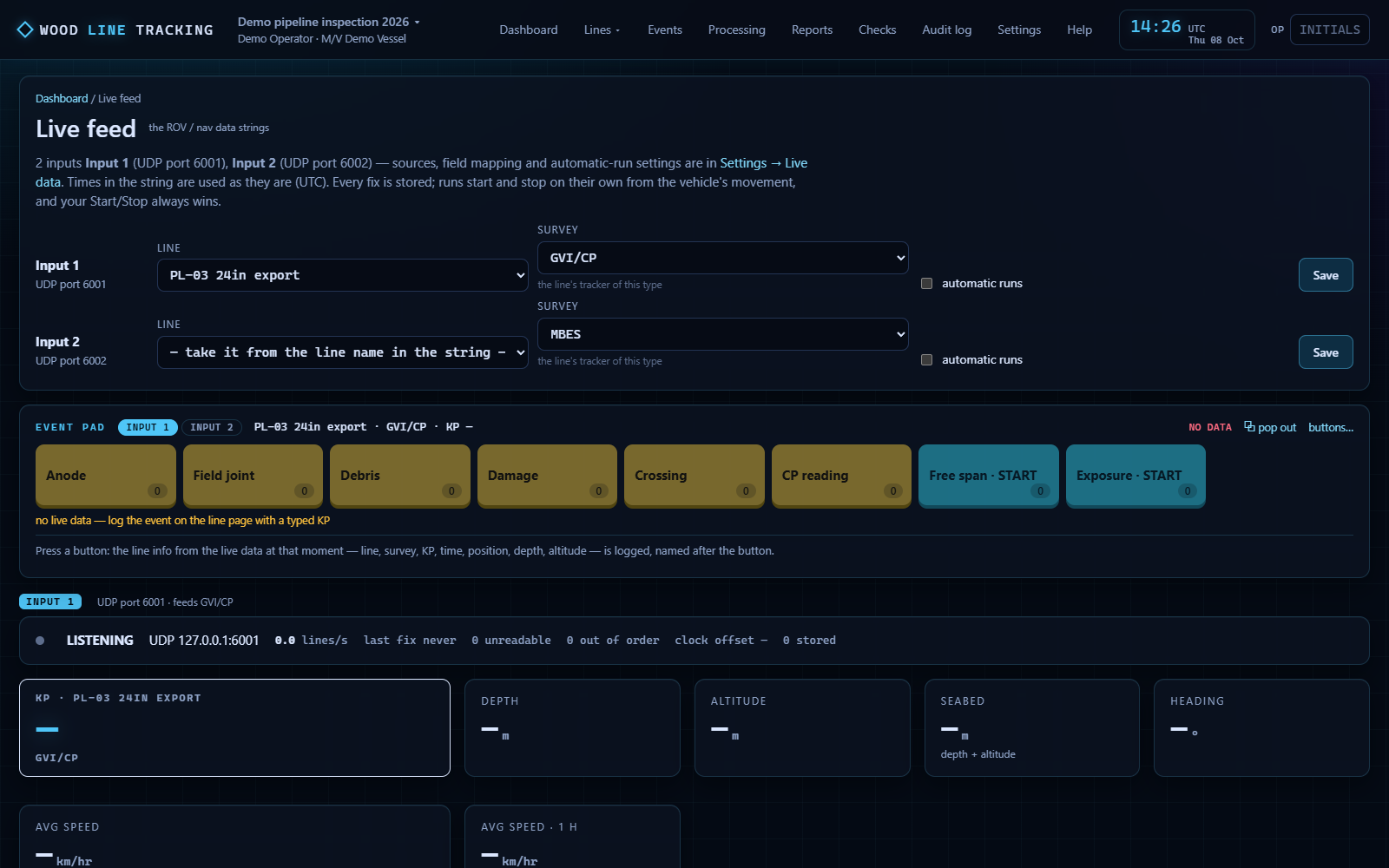
UDP, TCP or serial, mapped field by field like a DVR. Each input is assigned to a survey type, so an MBES vehicle and a GVI vehicle on the same line each drive their own runs. Two strings on one port? Filter by vehicle.
Runs that follow the vehicle
A run in progress counts up to where the vehicle is now; starting a run makes that line the live one. Average speed over 10 minutes and an hour, and an ETA to any KP you type.
Events, event pad, bathy
Quick-event buttons under each survey and a WoodDVR-style pad: anodes, field joints, free spans with start and end. A single-beam bathy profile from depth and altitude, zoomable, exportable.
Processing page
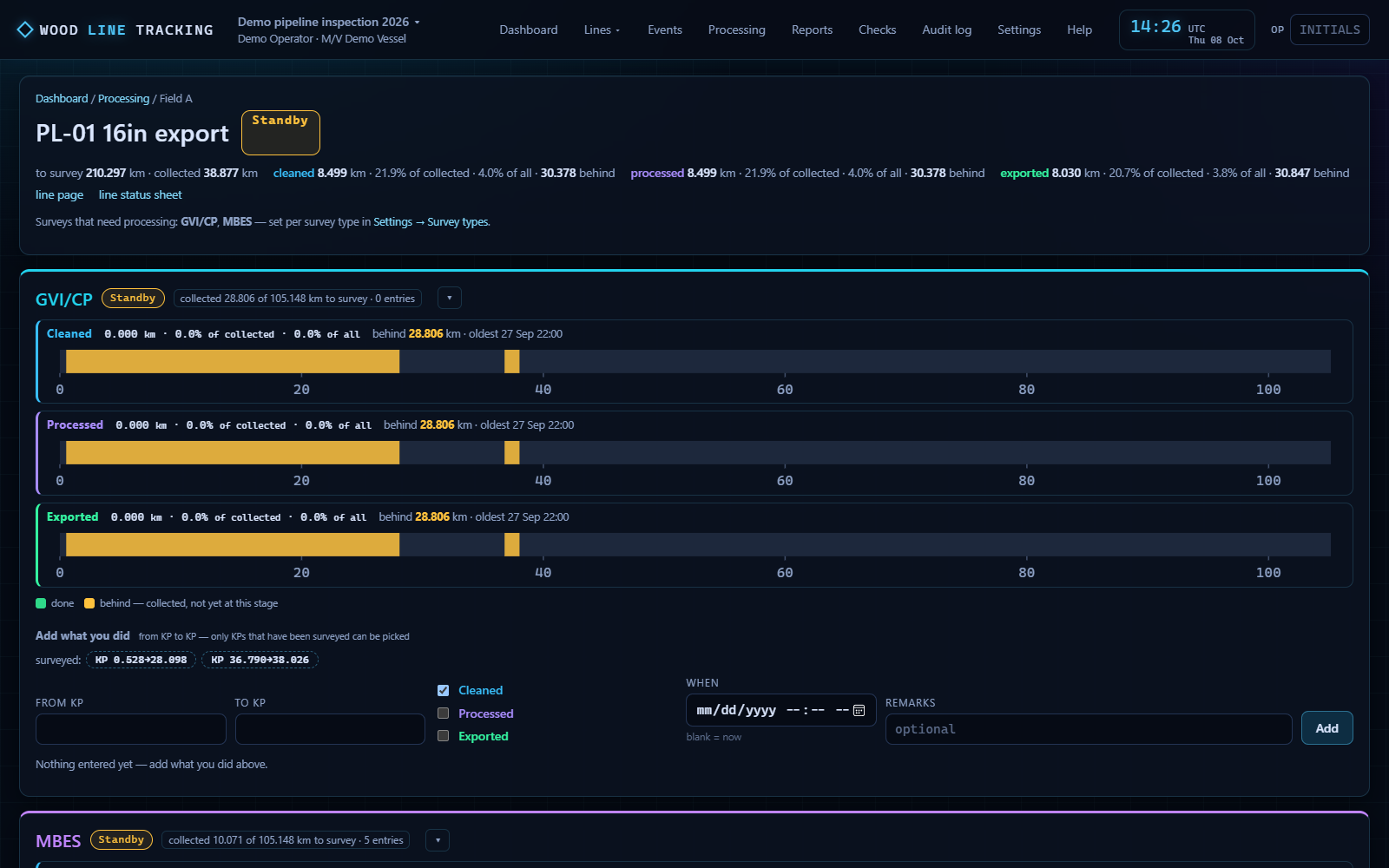
For the office: what has been collected, and what has been cleaned, processed and exported, KP to KP, per survey type — the percentages of the data collected and of the whole job, in the reports too.
Reports and a view-only port
Daily Progress Report, Line Status Sheet, coverage and event reports as print-ready pages and PDF, as they stood at the cutoff. A second port lets anyone on the network look, search and print without changing a thing.
Download
WoodLineTracking 2.0.5 for Windows.
Personal, non-commercial use, with the source on GitHub; commercial licences from Whoastra Labs. Every file is attached to a GitHub release, so the download is fast from any port and the release history is public.
WoodLineTracking Setup 2.0.5
Contact
Questions, quotes and licences.
Every enquiry goes straight to Woody Straley, the survey party chief behind WoodSolutions. Replies usually within a day, including from offshore.